
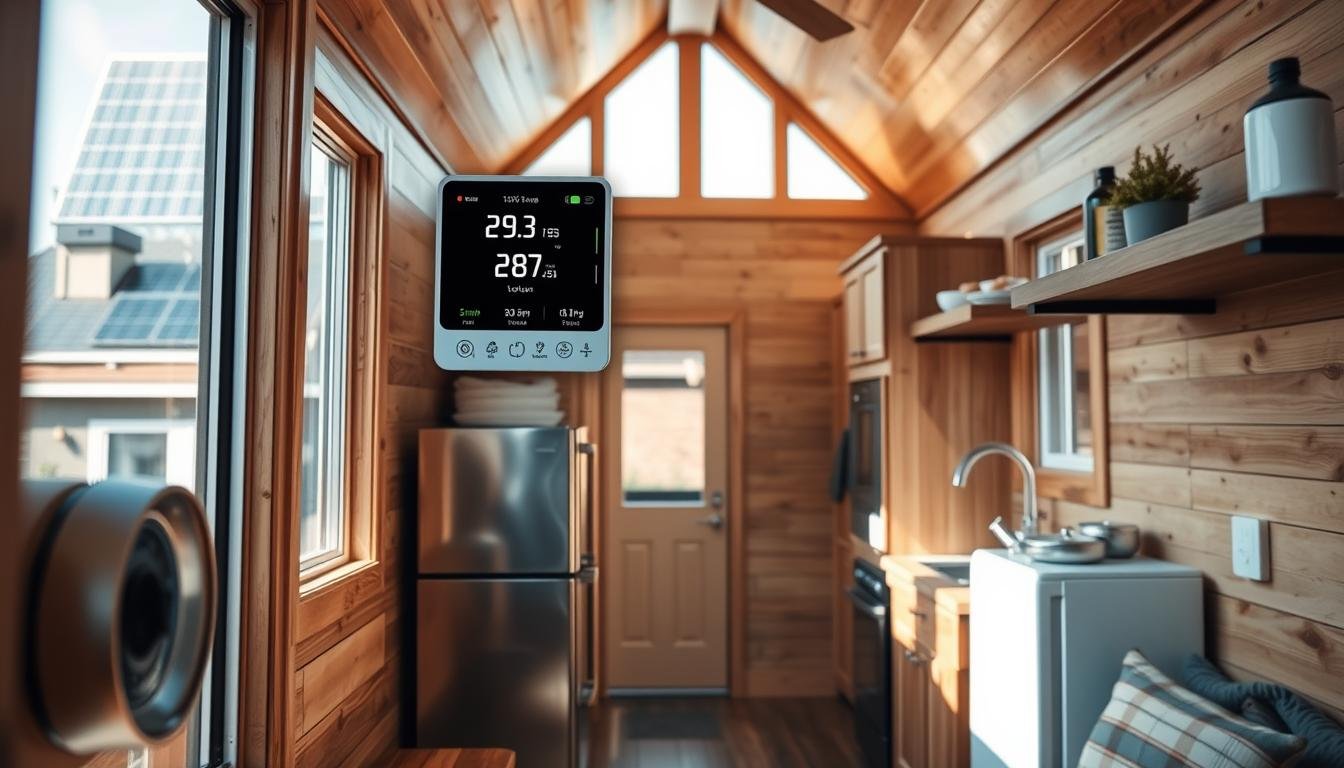
Smart home energy management for tiny houses poses a surprising question: can a compact dwelling match the comfort and control of larger residences while trimming bills and clutter?
The answer is yes, when owners adopt a focused, right-sized approach that blends generation, storage, and load scheduling. A Home Energy Management System (HEMS) coordinates lighting, thermostats, plugs, and appliances to align usage with solar output and time-based rates.
This guide shows how to start small—lighting and smart plugs—then scale to solar, battery storage, and EV charging. It stresses practical hardware choices, real-brand compatibility, and clear safety limits so DIYers know when to call a licensed electrician.
Readers will find step-by-step planning, baseline load checks, and a path to automation without sacrificing space or comfort.
Key Takeaways
- A HEMS ties generation, storage, and loads into a compact, efficient system.
- Start with high-impact, low-cost devices like plugs and lighting.
- Right-sized design keeps wiring, panels, and circuits safe and efficient.
- Automation shifts use to solar and off-peak rates for savings.
- Plan with real brands and know when to hire a pro for high-power work.
- For a full DIY roadmap, see the detailed integration guide: DIY Smart Home Integration for Energy.
Smart Home Energy Management for Tiny Houses: What It Is And Why It Matters
For compact dwellings, a central energy system turns limited capacity into a performance advantage.
Defining a Home Energy Management System
A HEMS unifies metering, solar production, storage status, and controllable loads into one coordinated system tailored to small spaces. It pulls data from inverters, batteries, and smart devices to give real‑time insights and automated control.
Core Benefits: Efficiency, Comfort, Convenience, And Security
Efficiency: Automation shifts heavy tasks to low‑cost or sunny periods, reducing peak power draw and lowering bills.
Comfort: Scheduling keeps the interior cozy by matching heating and lighting to occupancy and weather.
Convenience: Voice and app control, plus scenes for morning and evening routines, let occupants check status remotely and run routines with one tap.
Security: Integrated locks, doorbell cameras, and motion sensors add layers of protection without cluttering small footprints.
- The system typically ties thermostats, lighting systems, EV chargers, plugs, and relays into one control layer.
- Centralized insights help owners measure savings and tune settings over time.
- When paired with rooftop solar, load alignment boosts the value of renewable energy and storage.
For practical layout tips and right‑sized designs, see this guide to efficient layouts: efficient layouts.
Assessing Your Tiny House Energy Profile Before You Buy Devices
Quantifying how a household actually uses power is the single best first step in any retrofit. A short audit clarifies which upgrades deliver the biggest savings and which require an electrician.
Heating And Cooling Baseline:
Heat Pumps, Electric Space Heaters, And Thermostats
Heating and cooling are typically the largest loads. Heat pumps from Daikin, Panasonic, and Mitsubishi offer high efficiency for both modes. Connected ACs and electric space heaters from Mill or Adax can be scheduled by thermostats.
Survey existing zones and verify compatibility with thermostats like Honeywell Evohome, Tado, or Netatmo to enable remote control and better scheduling.
Solar Readiness And Roof Exposure
Map roof exposure, shading, and racking constraints. Choose inverters (Enphase, SolarEdge, SMA, Growatt, Tigo, GoodWe, Huawei) that report live generation to a central hub for monitoring and automation.
Major Consumers, Buffers, EVs, And Pricing
List major appliances—washer, dryer, dishwasher, oven, freezer—and note buffering windows (freezer temp bands, delayed dishwasher cycles). Treat EVs and batteries as flexible storage and plan charging with chargers like Easee or myenergi.
Finally, review the utility contract type and Time-Of-Use windows. Install a smart meter or add-on meter (Eastron) to collect baseline data and set realistic targets. For sizing and deeper planning, consult a guide on how much power you need and a zero-energy build guide.
Building A Right-Sized Smart Devices Stack For Small Spaces
A compact device stack can deliver big comfort and clear savings without crowding a small living area.
Start with low-risk, high-impact items and expand only as needs grow. Prioritize controls that cut wasted load and fit the plan for future solar or battery add-ons.

Smart Lighting And Dimmers For Low-Load, High-Impact Savings
Dimmers, tunable white bulbs, and schedules reduce wattage and boost ambiance. In a small space, scenes and occupancy rules eliminate wasted lights while enabling voice control and one-tap routines.
Smart Thermostats And Zone Control For Heating And Cooling
Tado, Netatmo, and Honeywell Evohome support zoning that keeps lofts and main rooms comfortable. Coordinate thermostats with heat pumps or connected ACs to avoid simultaneous heavy draw.
Smart Plugs, Energy-Monitoring Outlets, And Built-In Relays
Use simple plugs for lamps and small appliances. Energy-monitoring outlets add visibility to usage trends.
Built-in relays (Shelly, Fibaro, Qubino, Heat-It) offer invisible control of heavier circuits but require an electrician for safe installation.
Smart Appliances In Micro-Kitchens: When To Upgrade
Consider replacing an old washer or dishwasher with connected Bosch, Siemens, or Miele models only when delayed start and remote checks will be used regularly.
Smart Security: Locks, Cameras, And Sensors Without Clutter
A single doorbell camera, one smart lock, and a couple of motion/contact sensors deliver core protection with minimal visual impact. Consolidate alerts into one dashboard so guests and family can use the system easily.
| Device Type | Best Use | Pros | Cons |
|---|---|---|---|
| Lighting & Dimmers | Ambient control, scenes | Low load, high savings, mood control | Requires compatible bulbs/switches |
| Thermostats (Tado, Netatmo, Honeywell) | Zone comfort, heating/cooling coordination | Improved comfort, schedule control | May need multiple sensors |
| Plugs / Relays | Device on/off, circuit control | Cheap entry, monitoring, hidden integration | Relays need pro wiring for heavy loads |
| Connected Appliances | Micro-kitchen scheduling | Delay starts, remote status | Higher cost, subscription features |
Start small, label zones, and group devices so scenes match the physical layout. This keeps the system simple to use and easy to expand without rework.
When adding inverters or larger electrical upgrades, consult the DIY inverter wiring guide: DIY inverter installation for tiny homes.
Integrating Renewable Energy, Storage, And Mobility
When panels, inverters, and batteries share live data, owners can shift loads to sunny hours and low-cost tariffs. Start by choosing inverters that report production to a central hub—Enphase, SolarEdge, SMA, Growatt, Tigo, GoodWe, and Huawei all offer options that feed real-time generation into automations.

Solar Panels, Inverters, And Energy Data You Can Actually Use
Prefer models with open APIs or native cloud feeds so a HEMS can trigger devices when output rises. If an inverter lacks integration, add a 3-phase meter (Eastron) to supply reliable production and consumption data.
Home Batteries And Using Storage As An Energy Buffer
Batteries smooth midday surplus and shave evening peaks. Keep typical state-of-charge (SOC) bands at 20–90% to extend life. Use the battery as first buffer, then TOU windows.
EV Charging Coordination In A Compact Electrical System
Match charger amperage to panel and inverter limits. Chargers like Easee and myenergi (and many EV APIs) can pause or rate-limit charging to avoid overloads while prioritizing self-consumption.
Prioritizing Loads During Peak And Off-Peak Windows
- Backup critical circuits first (fridge, medical loads).
- Schedule washers, dishwashers, and preheating to sunny or off-peak windows.
- Use staged starts and current limiting for large appliances to avoid tripping panels.
Safety note: Always verify interconnection rules and consult a licensed electrician for battery or EV charger installations and final inspections. For guidance on health and behavior impacts of system use, see this practical research.
Automation, Monitoring, And Control Apps That Tie It All Together
A reliable hub turns raw production numbers into simple rules that reduce bills and protect circuits.
Choosing A Central Hub To Unify Devices And Energy Data
Pick a platform with broad brand support, clean meter ingestion, and robust automation tools like Homey Flows or Advanced Flows. P1 smart meters or energy dongles supply real-time generation and consumption data so the hub can make accurate decisions.

Creating Automations: Aligning Loads With Solar Generation
Set simple rules first. Example automations include preheating water at midday solar peaks, delaying dishwasher cycles to low-rate windows, and capping EV charge speed during high-price periods.
Start small: validate each flow with meter feedback before adding more rules.
Price-Aware Scheduling For Dynamic And Time-Of-Use Rates
The hub can ingest TOU schedules or price forecasts and sort tasks into least-cost slots. It should pause noncritical loads when prices spike and resume them during low-rate windows to preserve comfort and savings.
Dashboards, Alerts, And Remote Control For Everyday Use
Provide clear views: real-time consumption, production, battery SOC, and EV status. Add alerts for inverter faults, unusual use, or failed starts so owners can act quickly.
- Integrate thermostats, plugs, lights, and chargers so automations react to solar output and price signals.
- Allow easy overrides via voice assistants and wall controls without breaking flows.
- Iterate: test simple flows, review historical data, and add complexity only when it pays back.
DIY Installation Essentials And Safety Considerations
Before installing any high-load gear, owners should confirm the main service limits and panel spare capacity. A quick audit prevents overloads and keeps circuits within safe ratings.
Panel Space, Circuit Loads, And Code-Conscious Wiring
Audit panel space: check total service amperage, available breaker slots, and breaker continuous vs. intermittent ratings.
Map and label circuits: list loads, note dedicated circuits, and mark critical items like refrigeration or medical equipment.
- Verify wire gauge and breaker sizing match device draw.
- Install GFCI and AFCI protection where code requires it.
- Use proper enclosures and weather ratings in small layouts.

When To Use Professional Installers For High-Power Systems
Hire a licensed electrician for main panel upgrades, EV charging circuits, battery storage interconnection, and solar tie-ins. Built-in relays that switch ovens, water heaters, or HVAC compressors also need pro wiring and permits.
- Safe DIY: bulbs, low-voltage sensors, plug-in monitors, and automation setup.
- Require pro: meter changes, service increases, and high-current converters.
“When in doubt, call a licensed pro — it protects people, property, and resale value.”
Document everything: label breakers, keep as-built wiring diagrams, and record IPs and device locations for future service and resale.
Maintenance, Optimization, And Ongoing Savings
A short, regular maintenance rhythm makes a big difference in long-term performance and savings. Small checks preserve output, catch faults early, and keep automations reliable.
Routine Health Checks For Devices, Panels, And Sensors
Monthly: review the hub dashboard to spot odd usage spikes, offline devices, or inverter dips. Update firmware for hubs, thermostats, and cameras so rules run reliably.
Visually inspect breakers and terminations for discoloration and tidy cable runs in tight spaces. Calibrate sensors if temperatures or motion readings drift.

Tuning Automations Based On Seasonal And Lifestyle Changes
Seasonal retuning widens heating setpoints in shoulder months and shifts appliance schedules as daylight changes. Use meter and inverter trends to confirm that solar panels and battery use match expectations.
Adapt scenes when life changes—work-from-day shifts, guests, or travel. Set quarterly goals, track historical charts, and verify that each tweak boosts savings or efficiency.
- Test alerts and backup procedures for outages and device failures.
- Clean panels in dusty or pollen-heavy seasons and validate gains with monitoring data.
- Document changes and keep a simple checklist to speed future troubleshooting.
For quick tips on keeping systems lean and saving more, see 11 Tips To Ensure Smart Home.
Conclusion
A stepwise approach—audit, hub, and phased device installs—makes upgrades safe and cost‑effective.
It reaffirms that a coordinated HEMS ties solar, storage, EV charging, and smart devices into one system that delivers big‑home comfort with lower costs and better control.
Next steps: start with a usage audit, pick a compatible hub, add lighting, thermostats, and plugs, then scale to panels, batteries, and chargers while using real data to schedule loads around production and prices.
Follow safe DIY limits and hire licensed pros for high‑power work. See an example of practical integration in compact living at smart tiny houses integration.
FAQ
What is a home energy management system for compact dwellings?
It is a setup of devices and software that monitors and controls power use in a small living space. The system ties together thermostats, lighting, plugs, inverters, and batteries so occupants can reduce waste, improve comfort, and match use to on-site solar or utility rates.
Which heating and cooling options work best in limited square footage?
Heat pumps and mini-split systems deliver efficient heating and cooling with precise zone control. Electric space heaters may be suitable for brief supplemental heat. A programmable thermostat or a Wi‑Fi capable controller helps keep setpoints tight and prevents overuse.
How should one assess roof exposure for photovoltaic panels?
Evaluate orientation, tilt, shading from trees or neighboring structures, and roof area. Use tools like PVWatts or SolarEdge site assessments to estimate generation. South-facing, unshaded roof sections yield the best annual output.
What are the largest energy consumers in a tiny building?
HVAC, water heating, refrigeration, and cooking appliances typically draw the most power. Laundry and EV charging can also spike demand. Identifying these loads allows planning for storage, load shifting, or efficiency upgrades.
Can an electric vehicle be charged safely from a small dwelling’s electrical system?
Yes, if the house electrical panel, wiring, and service capacity are adequate. Level 1 charging from a 120V outlet is the least demanding. For Level 2 (240V), confirm circuit capacity or use managed charging that limits current during peak household demand.
How does time-of-use pricing affect device scheduling?
Time-of-use rates change the cost of electricity by time block. Scheduling high-draw tasks — like clothes dryers or EV charging — for off-peak windows reduces bills. Price-aware controllers and app-based automations can shift loads automatically.
Which lighting and dimming solutions save the most power in small spaces?
LED fixtures with integrated drivers and dimmable drivers provide low baseline loads. Occupancy sensors and scene-capable dimmers cut wasted light. Tunable white LEDs increase comfort while using less electricity than older technologies.
Are smart plugs and energy-monitoring outlets worth installing?
Yes. Monitored outlets reveal real-time consumption of appliances and allow remote on/off control. They are low-cost tools to identify phantom loads and apply targeted automation or scheduling for savings.
When is it worth replacing appliances in a micro-kitchen?
Replace when an older unit uses significantly more energy than modern equivalents or fails frequently. Look for ENERGY STAR refrigerators, induction cooktops, and compact dishwashers that match the household’s usage profile to justify the upfront cost.
How can surveillance and access control be implemented without cluttering tiny living space?
Choose compact, multi-function devices such as doorbell cameras and slimline smart locks. Wireless sensors and battery-powered cameras reduce wiring needs. Integrate them into a single app or hub to avoid multiple control points.
What components are needed to integrate solar and storage effectively?
A solar array sized to available roof area, a compatible inverter, a battery bank sized for desired backup or load shifting, and a controller or energy management gateway that coordinates charge/discharge and export limits.
How should one size a home battery for a small dwelling?
Start by reviewing daily load profiles and critical loads to protect during outages. For load shifting, a battery that covers evening lighting, refrigeration, and communications for several hours may suffice. Factor inverter continuous and peak ratings into sizing.
What is the best way to coordinate EV charging with on-site generation?
Use a charger or management system that accepts signals from the inverter or energy gateway to limit charging to times of surplus solar or low grid prices. Dynamic load management prevents overloading the service while maximizing self-consumption.
How can devices be prioritized during peak grid periods?
Define critical, deferrable, and shed-able loads in the energy gateway. Automations can reduce nonessential circuits, delay appliance cycles, or draw from battery reserves during peaks. This preserves comfort while lowering demand charges.
What features should a central hub or platform include?
Look for cross-brand device compatibility, support for energy metering, rule-based automations, price-aware scheduling, and a clear dashboard. Platforms like Home Assistant or Hubitat often provide local control and broad integration.
How do automations align appliance use with solar generation?
Automations can start dishwashers, water heaters, or chargers when PV output exceeds a threshold. They monitor real-time generation and only run flexible loads during surplus or when tariffs favor grid consumption.
Are price-aware schedules complicated to set up?
Many platforms import utility rate calendars and allow simple rules: run X between 10 p.m. and 6 a.m., or avoid charging during peak blocks. Advanced setups use API feeds or local gateways to adjust dynamically.
What safety concerns matter during DIY electrical work?
Proper panel labeling, correct circuit sizing, breaker compatibility, grounding, and adherence to local electrical codes are crucial. Incorrect wiring risks fire, shock, or equipment damage. Obtain permits where required.
When should a professional installer be hired?
Hire licensed electricians for service upgrades, inverter or battery interconnection, and any work requiring permits. Use certified solar installers for rooftop arrays to ensure structural and electrical safety.
What routine maintenance keeps a system efficient?
Clean PV panels, test battery health, update firmware for devices and hubs, inspect wiring and connectors, and review usage dashboards quarterly to spot drift or faults.
How often should automations be tuned?
Tune automations seasonally and after lifestyle changes. Adjust heating schedules for winter, change occupancy patterns after travel or new household members, and refine thresholds based on updated generation or tariff data.
Related Articles
- Constructing Energy-Efficient Roofing: Materials and Techniques
- DIY Smart Home Integration for Energy Management
- Reclaimed and Upcycled Materials: Building a Sustainable Tiny House
- DIY Insulated Walls: How to Build for Maximum Heat Retention
- Building a Compact Bathroom: Design and Construction Tips
More from This Category
- DIY Tiny House Plumbing System: What You Need to Know
- How to Build an Outdoor Deck or Patio for Your Tiny Home
- DIY Sustainable Flooring Options for Tiny Houses
- Creating Built-In Storage Solutions During Construction: The Definitive Guide
- Installing Off-Grid Power Solutions: A DIY Guide
Additional Resources
- Building a Rainwater Collection System for Your Tiny Home
- Waterproofing Your Tiny House: Essential Steps for Longevity
- Budget-Friendly Tiny House Construction: Cost-Cutting Strategies
- Constructing Energy-Efficient Windows and Doors for Tiny Homes
- DIY Solar Panel Installation for Your Tiny House
- How to Install Insulation for Maximum Energy Efficiency
- Building a Tiny House Foundation: A Complete Guide
- Top 10 Construction Mistakes to Avoid When Building a Tiny House
- Essential Tools and Equipment for DIY Tiny House Construction
- Step-by-Step Guide to Building a Zero-Energy Tiny House